

bebrassie UniversityGroups & Teams
How do I create a group and invite players to it?
If you look after a team as a coach, captain or sports director, you create a group in bebrassie and invite the players to it. When a player accepts the invitation, you can see their data. Whoever creates the group is its Administrator.
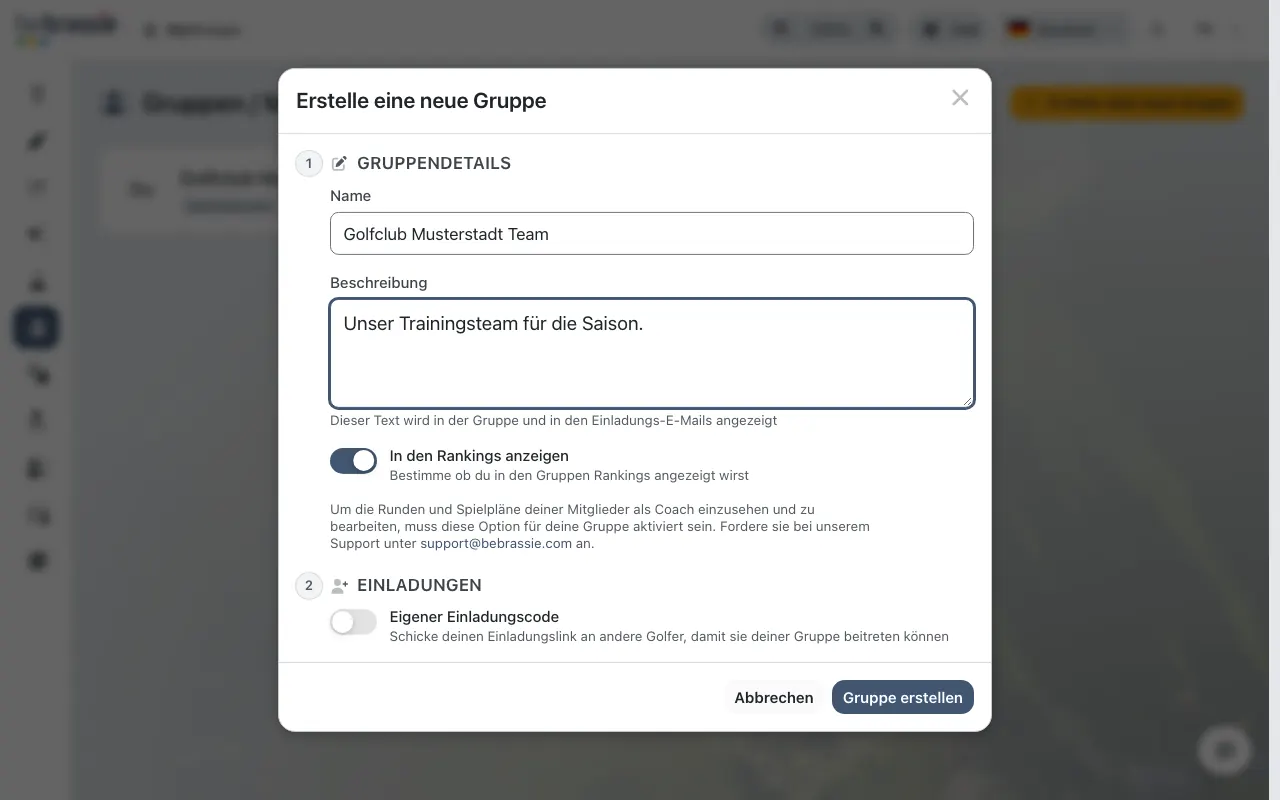
Create a group
- Open MyGroups in the menu.
- Click Create a new group.
- Enter a Name and Description. The description also appears in the invitation emails.
- Click Create group.
Invite players
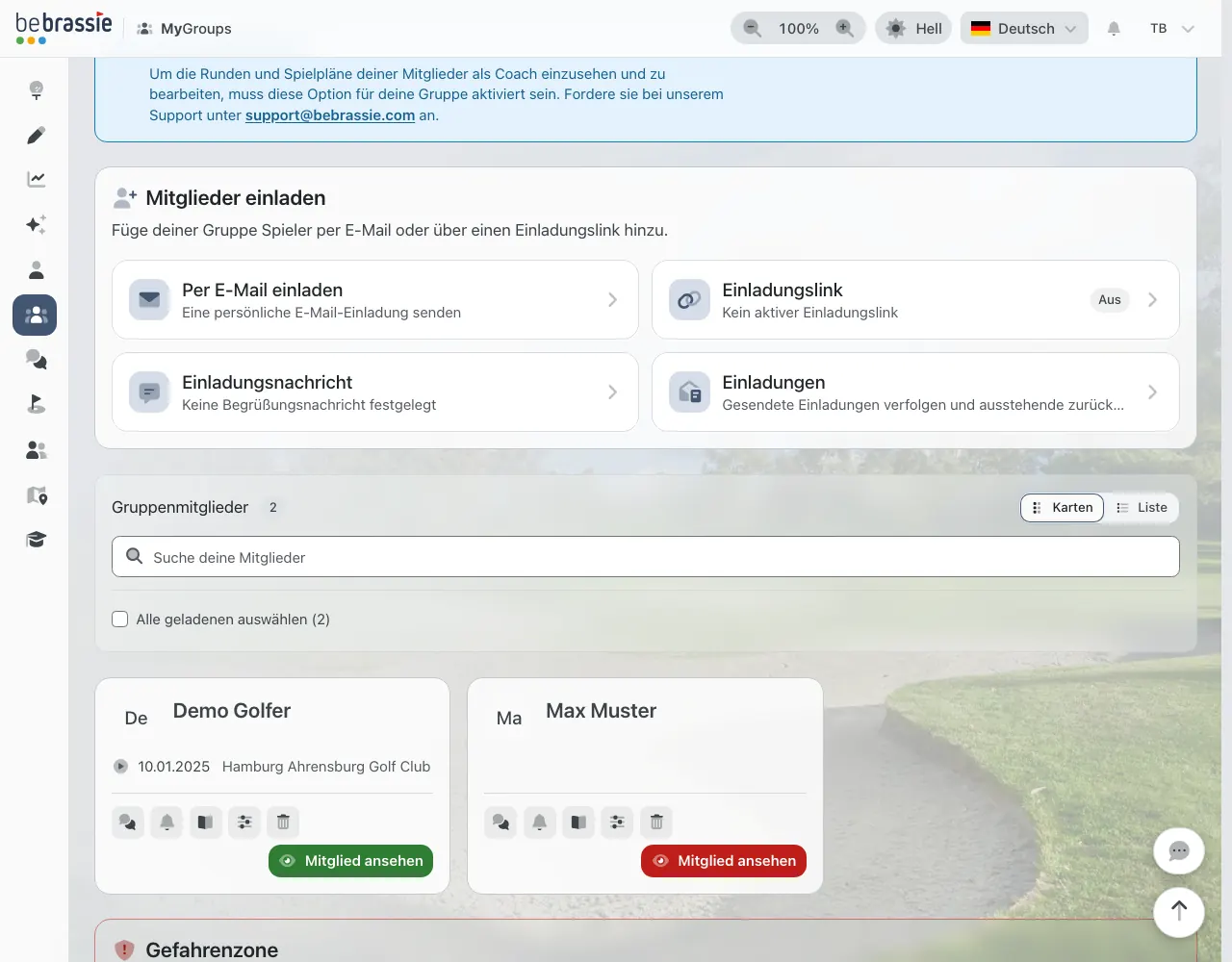
Under Members → Invite members you have two options:
- Invite by email: Enter the address the player registered with. The player decides whether to join.
- Invite link: Anyone with the link can ask to join. This suits inviting a whole team at once.
You can also add an Invite message.
Assign rights
With Rights you decide what each member may do, such as adding or removing members, seeing the rankings, or viewing and editing other people's rounds. This lets you share the group's care among several people.
You can only view a member who has an active subscription.
Licences for the team
For teams there are licences for 5 to 50 players. You receive one key per player by email within one working day and hand them out yourself. Each player enters their key in their own profile under Use licence key, paying attention to upper and lower case.
Tip: Make a note of which player got which key. That helps you avoid mistakes when unlocking access.