

How do I create a report?
If you want to analyze, print or pass on a round or a period, you create a report in bebrassie. There are PDFs for a single round or a period, and AI reports on your player profile.
To create a report:
- Open MyReports in the menu.
- Click Create a report.
- Under Choose type, select one of the three types.
- Click Create.
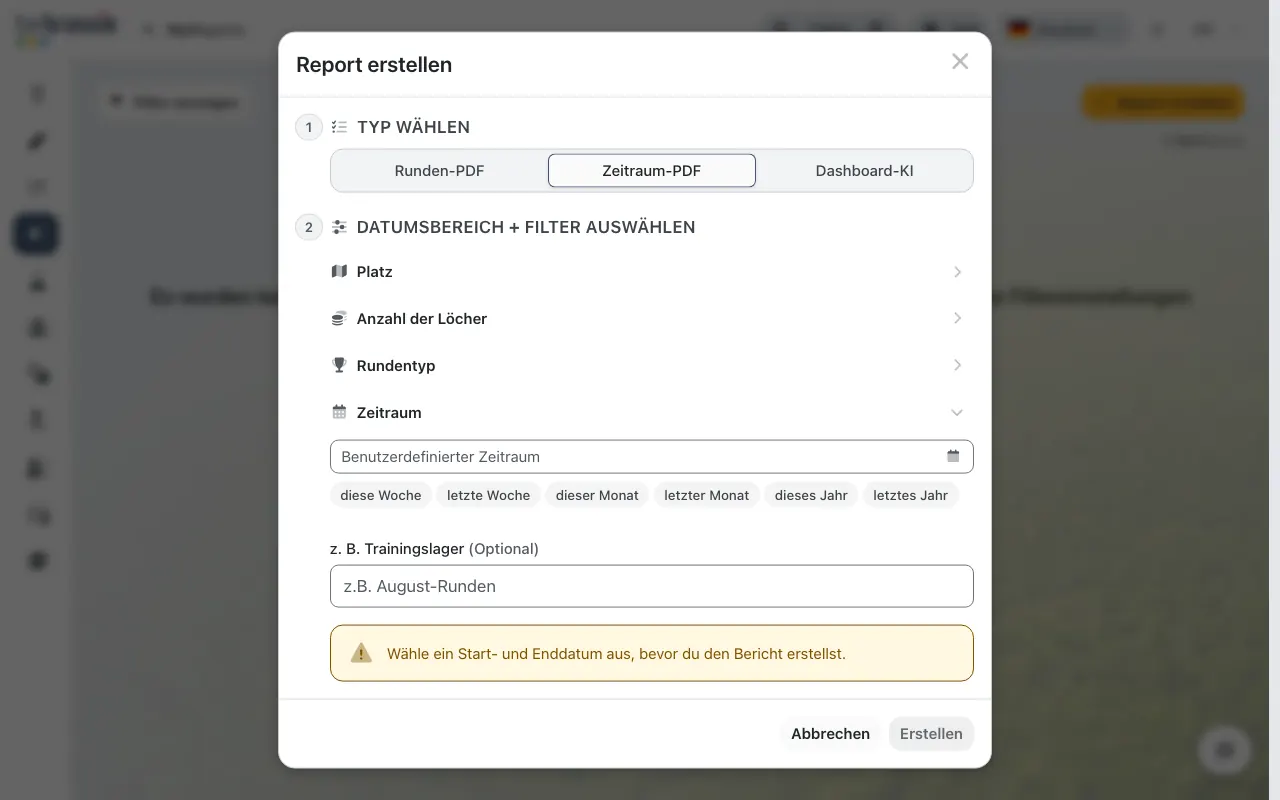
The three types
- Round PDF: You select a signed round.
- Period PDF: You enter a start and end date, and you can set further filters and give the report a name. The form shows you how many rounds match.
- Dashboard AI: You select a monthly or yearly report. The form shows you whether you already have enough signed rounds for it.
Your reports
The new report appears in your list and at first carries the note Is being created. You download a finished PDF with Download. With Show filters you search for older reports.
In the iOS app, you find the PDFs in the More tab under PDF Reports. The Android app has no menu item of its own for this: there, you create reports in the browser.
Still have questions?
Write to us. We will help you out.