

Strategy and game plan: how does this help you on the course?
Before a round, you can decide where you will play on each hole and with which club, instead of deciding on the tee. bebrassie has the Strategy section for this. There you create game plans based on your own recorded shots.
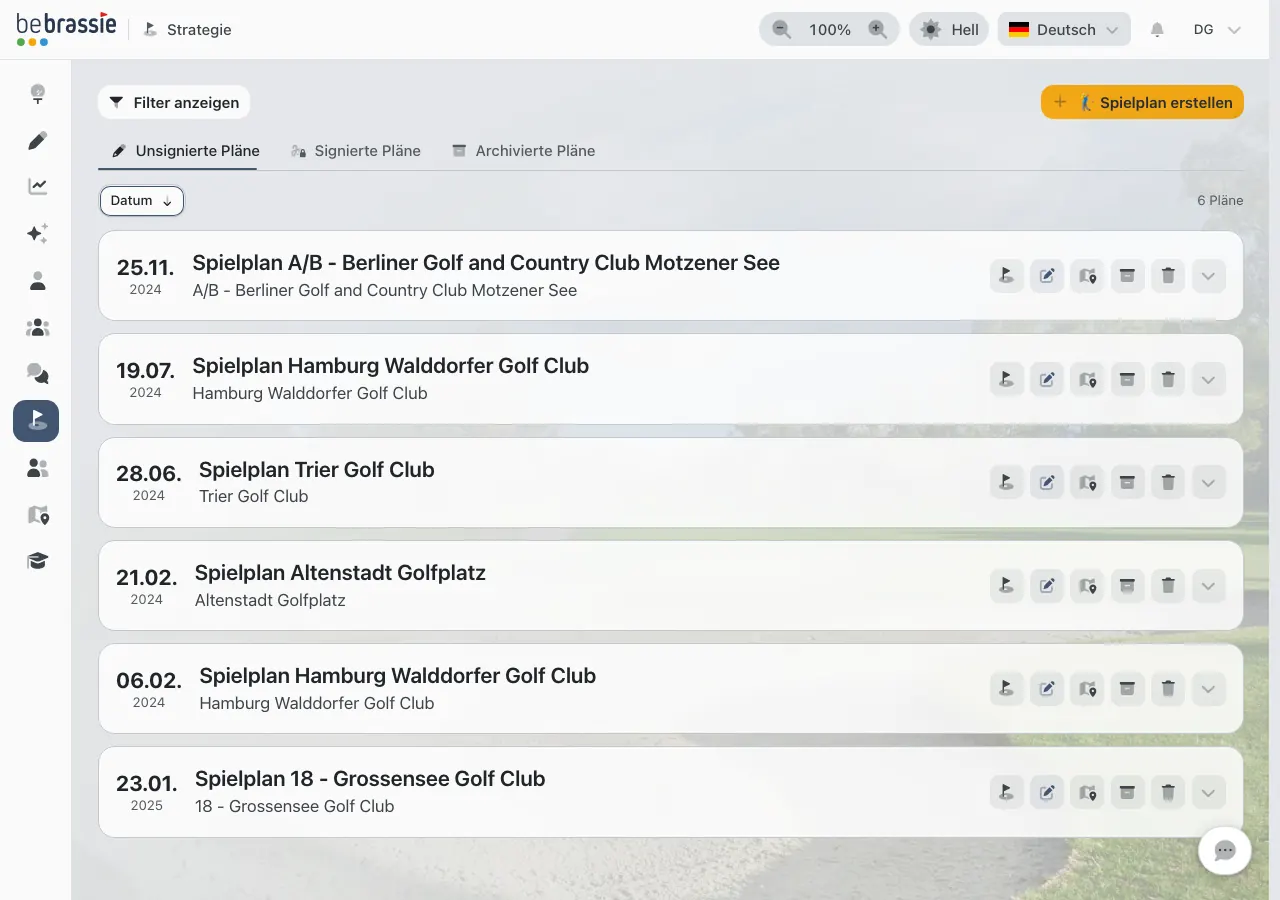
Create a game plan
- Open your game plans Open in the app and click Create Game Plan.
- Select the course and tee and check your equipment.
- Confirm with Create New Game Plan.
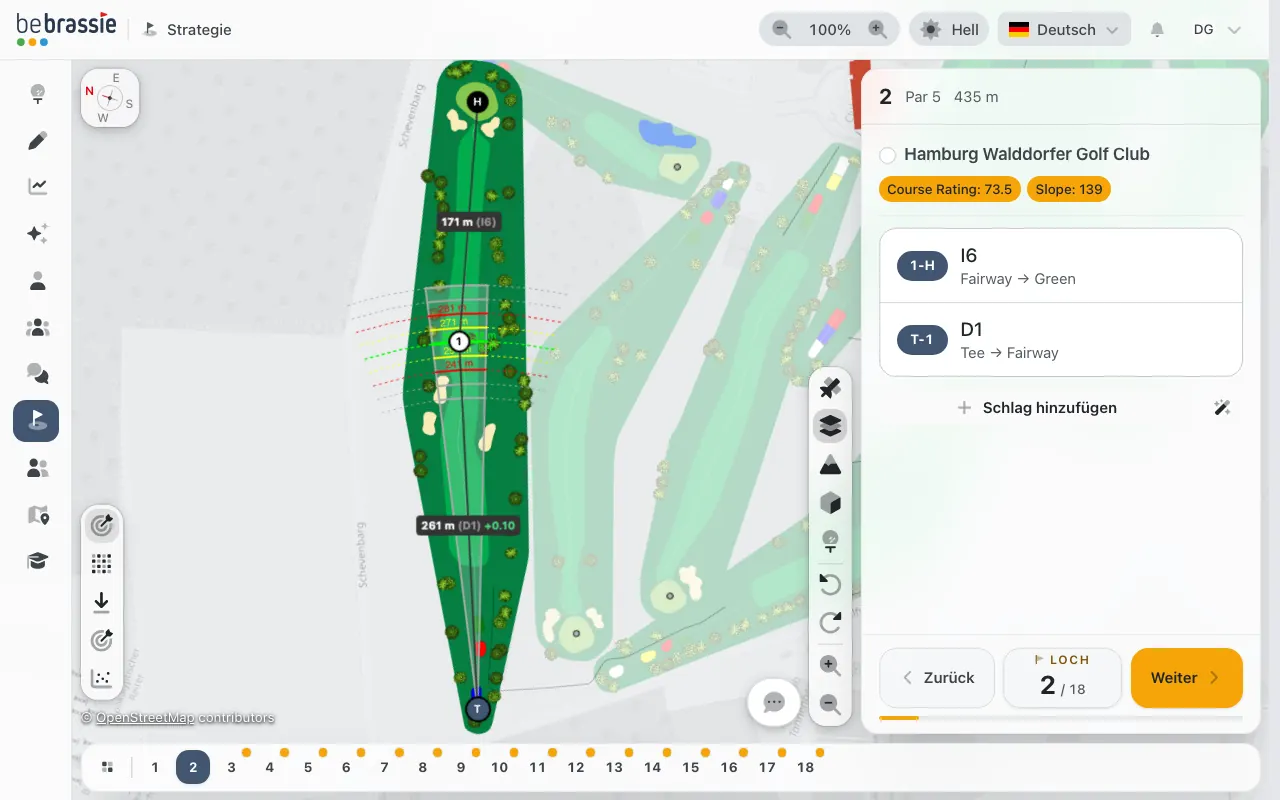
- With Auto-generate shots for all holes, the app distributes the shots based on your club distances and the course geometry. You can then move each shot on the map.
What the plan shows you
- Cone: It shows the lateral dispersion of the selected club. With normally distributed values, about two thirds of your shots land inside it. If a penalty area or out of bounds lies inside the cone, that is a reason to change the target or club.
- Strokes Gained: You see the value of each shot. Only a hole's last planned shot has none, because no putting happens in the plan.
- Elevation: It is shown per shot.
- Calibration: There you see distances and dispersion per club, and under Include rounds you set which rounds count.
The data comes from signed rounds with recorded shots. Rounds with only the score entered don't help here.
Take the plan with you
You sign a finished plan. It then appears under Signed plans, where you print it for your round with Print game plan.
Still have questions?
Write to us. We will help you out.