

bebrassie UniversitySubscription & Licences
How do I manage my subscription or licence?
If you use bebrassie with a subscription or a licence, you can check at any time how long your access runs and how it is billed.
In the browser
Sign in at app.bebrassie.com and open your Profile under MyAccount. The Subscription status section shows the date under Subscription valid until and how you are billed. With a subscription, Manage subscription takes you straight to subscription management at Apple or Google.
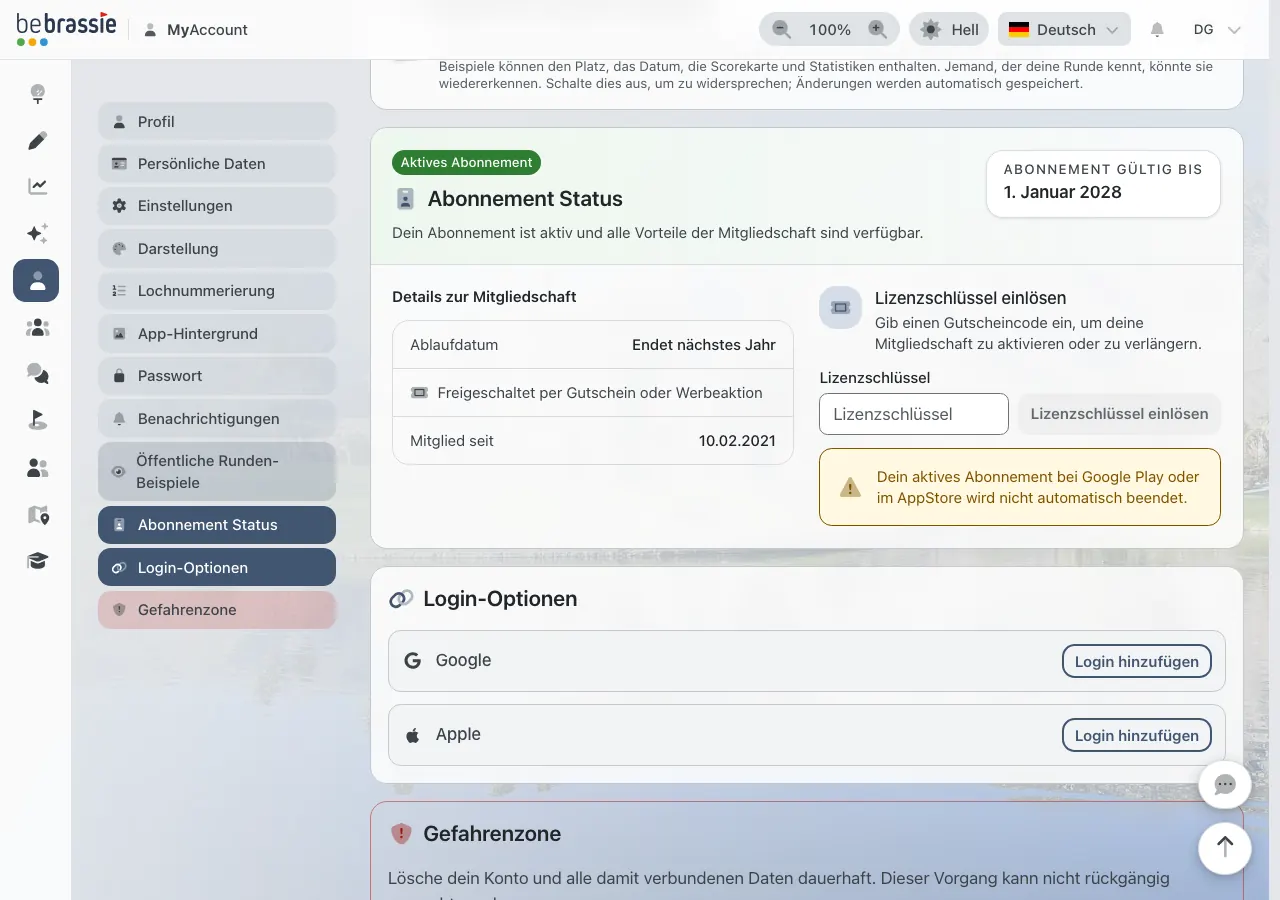
In the app
- iOS: More tab, then Subscription. You start changes to your subscription with Manage subscription.
- Android: The MYSUBSCRIPTION menu item. You start changes to your subscription with MANAGE SUBSCRIPTION.
Switching from a subscription to a licence
Besides subscriptions, the web shop offers licences. A licence key doesn't end your subscription. So if you switch, cancel it yourself in the App Store or Play Store.
Still have questions?
Write to us. We will help you out.