

bebrassie UniversityFirst Steps
How can I adjust the par on a hole?
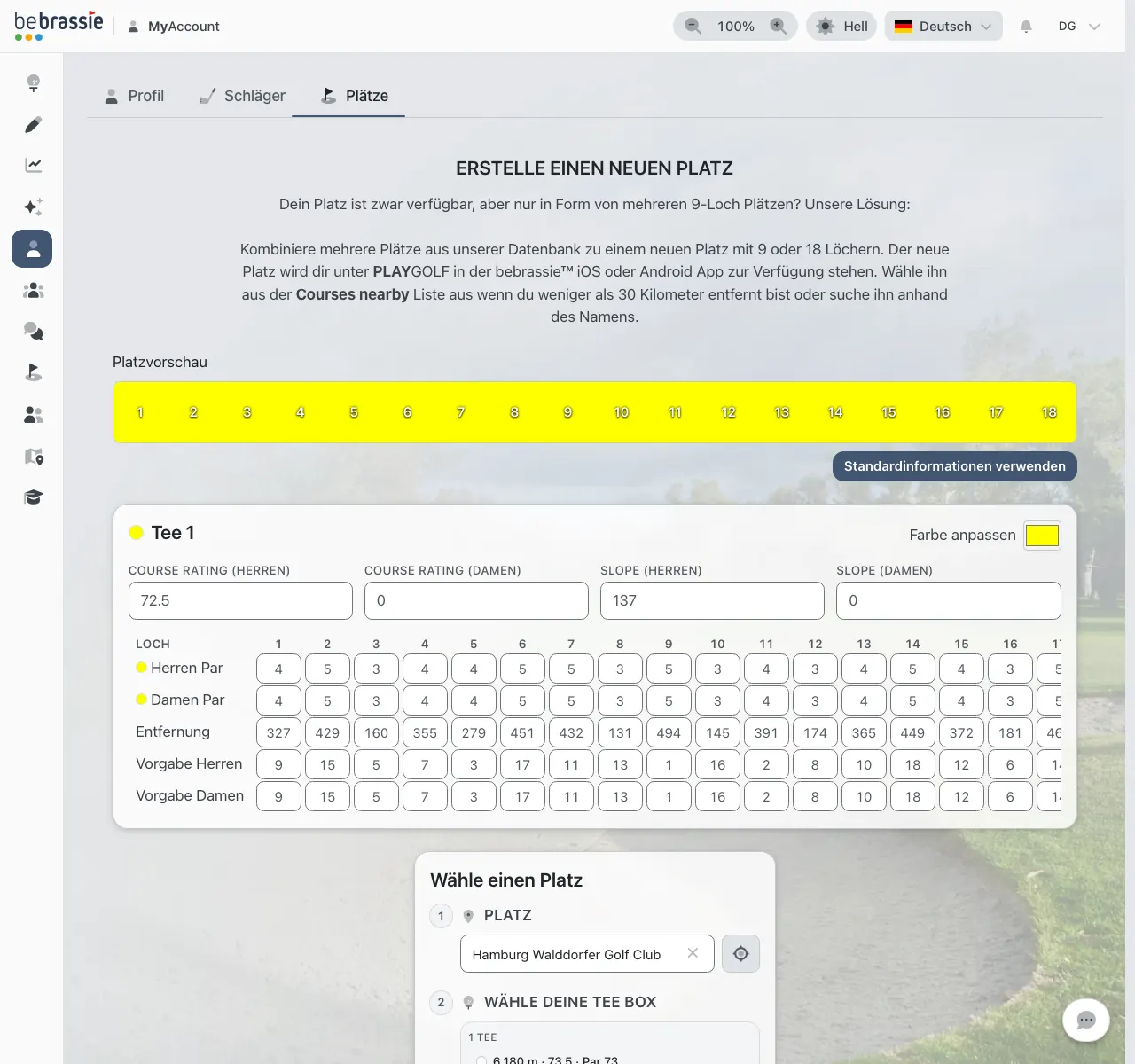
bebrassie doesn't always show a course the way it is actually played. If the par on a hole is wrong, you create your own version of the course. Only you can see it.
Before the round
- In your profile, open the Courses section and select Create a new course.
- Choose the golf course under Select a course, the tee under Choose your tee box and holes 1 to 18 under Hole range.
- Under Course preview, click Adjust course information and change the par in the table.
- Click Finish course selection, enter an easily recognizable name under Give your course a name and confirm with Create course.
You will also find the course under this name in the iOS and Android apps.
After the round
If you have already played and only then notice the par was wrong, open the round in the round editor. In the Scorecard step you will see Par or course info wrong? with the Edit course link.
The procedure is the same as before the round. At the end you also select Replace round course. If the round was already signed, this makes it unsigned: check it in the round editor and sign it again.
Still have questions?
Write to us. We will help you out.