

bebrassie UniversityFirst Steps
How can I set or change my home course?
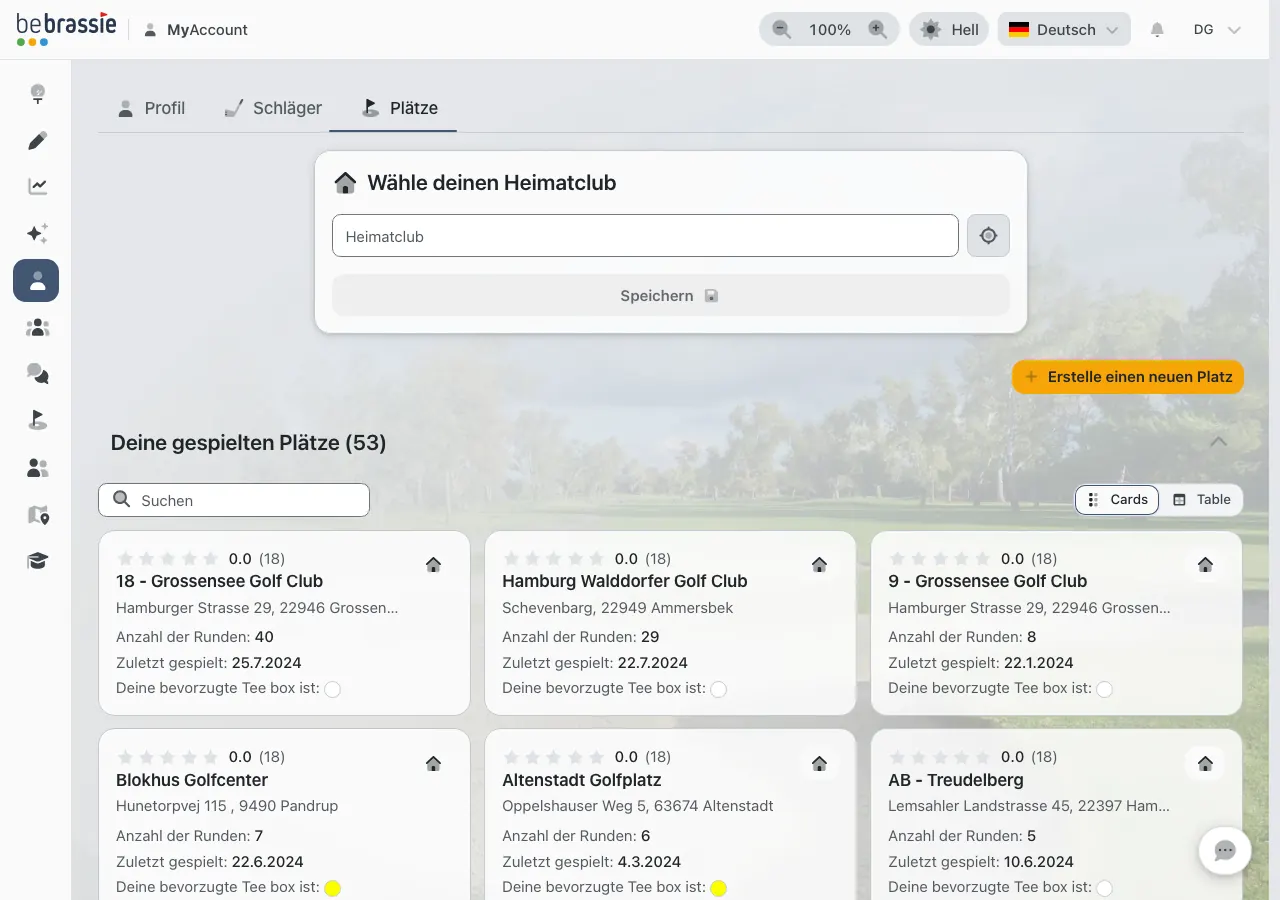
You can set the course you play most often as your home course in bebrassie. It then appears in the player profile on your dashboard, and in the stats filters it has its own entry under Home.
How to set it
- Open your courses Open in the app in your profile.
- Search for the course under Choose your home course.
- Confirm with Save.
In the table view of Your played courses, you can also do this directly on the course with Save as home course.
How to change it
Select a different course under Your home course and confirm with Save. Delete removes the home course again.
Still have questions?
Write to us. We will help you out.