

bebrassie UniversityFirst Steps
Where can I redeem my licence key?
If you bought or were given a licence key, you use it in your profile to unlock bebrassie or extend your access.
How to redeem the key
- Sign in with your browser at app.bebrassie.com and open your Profile under MyAccount.
- In the Subscription status section, find the Licence key field.
- Enter the key, paying attention to upper and lower case.
- Confirm with Use licence key.
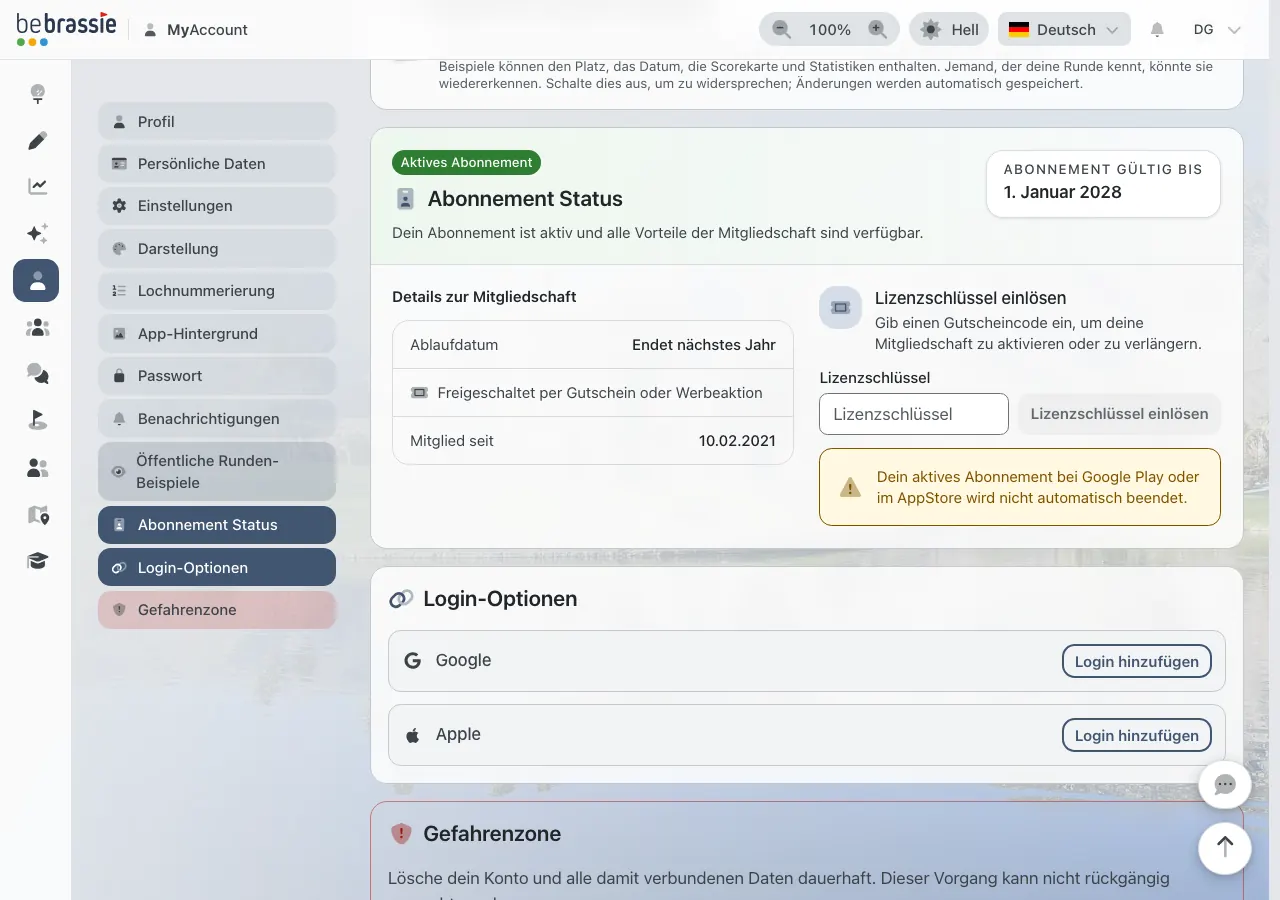
In the Android app you redeem it under MYSUBSCRIPTION. The field may be missing inside the iOS app. In that case, use your browser.
What happens to your term
A key extends an existing licence by its full number of days. If you have 100 days left and redeem a 365-day key, your licence runs for 465 days.
If you have a subscription
A licence key does NOT end a subscription from the App Store or Play Store. Cancel it yourself in the store in question, otherwise it keeps running.
You can still redeem the key right away. Its days are added to the current expiry date of your subscription.
Still have questions?
Write to us. We will help you out.