

Licence not working
A bebrassie licence is unlocked with a licence key. If it stays inactive, the key usually hasn't been redeemed yet or wasn't entered exactly.
To redeem it in the web app:
- Open MyAccount and your profile there.
- In the Use licence key section, enter the key. Pay attention to upper and lower case.
- Confirm with Use licence key.
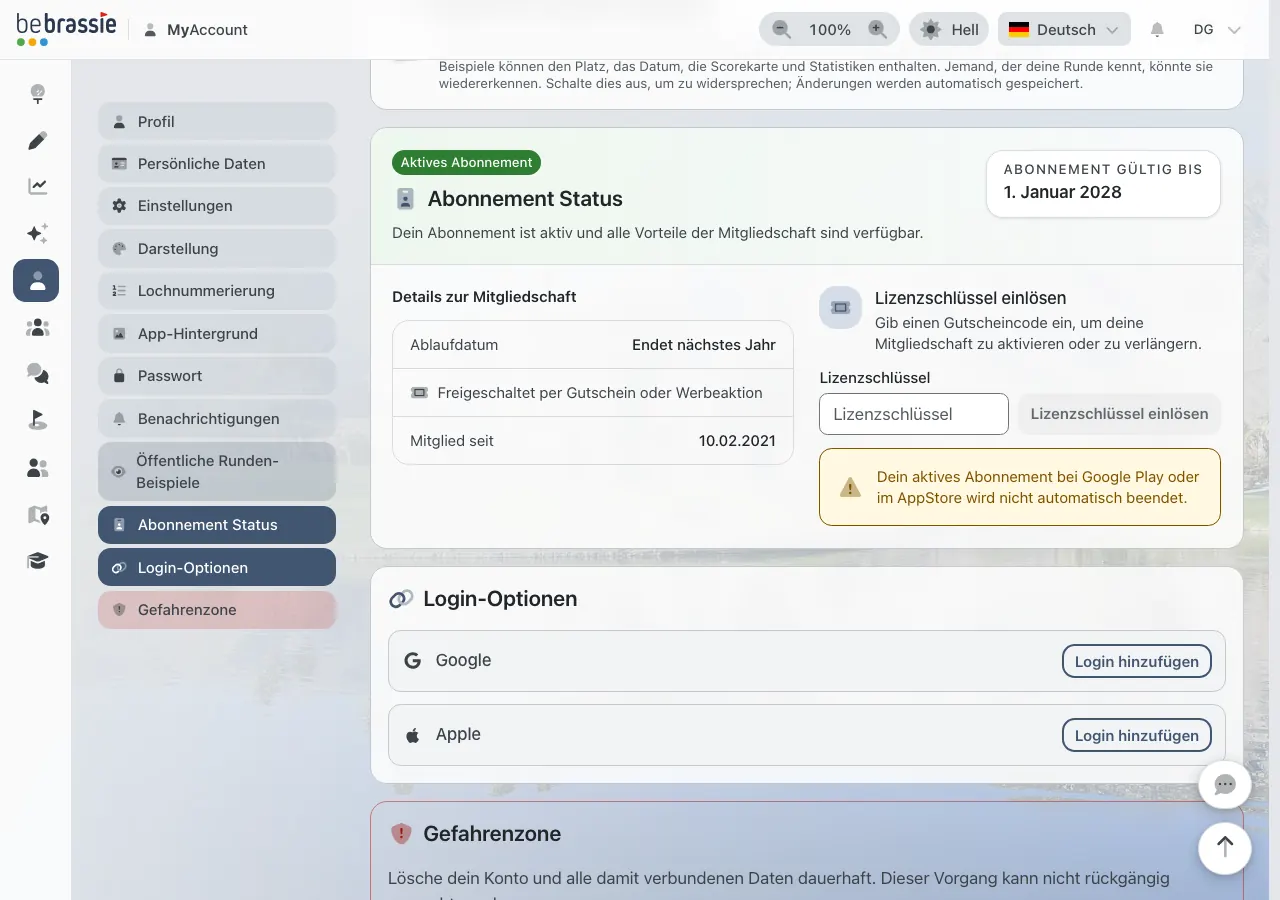
In the Android app you redeem it under MySubscription, in the iPhone app in the More tab under Subscription. If MyAccount in the iPhone app shows you no field for the key, redeem it in the browser at app.bebrassie.com.
A subscription with Apple or Google runs separately from the licence. Redeeming extends your access but doesn't end the subscription. You can only cancel it in the store in question.
Still have questions?
Write to us. We will help you out.