

Problems
Apple charged me right away, even though I wanted to use the free trial first?
If you take out a subscription to the bebrassie app through Apple or Google, the free trial comes from the store in question, and there it is available only once. If you have had a trial with this app before, including under its old name FORE, the store charges you right away when you subscribe again.
We have no influence over this billing. You can only request a cancellation from Apple or Google support.
Inaccurate GPS signal
If shots of a round appear in the wrong place on the map in bebrassie, the GPS signal is often the cause. We use the signal from your phone or watch and can neither improve nor worsen it.
Golf courses also don't follow the logic of road traffic, which a navigation system can use to align the position. With certain terrain, the signal becomes inaccurate. You can also see this, for example, when you use location services such as Apple's “Find My”.
That is why you check the shots in the round editor after the round and correct wrong positions by hand before you sign.
The Apple Watch doesn't show bebrassie or won't connect
If bebrassie is missing from the Apple Watch or won't connect, the app usually isn't properly installed on the watch or isn't synced. You install it through the iPhone's Watch app:
- On the iPhone, open the “Watch” app.
- Scroll down to bebrassie.
- Turn on “Show App on Apple Watch”.
- Make sure Bluetooth is on.
- Open bebrassie once on the iPhone.
The Apple Watch can't keep an app permanently in the foreground. That is a limitation set by Apple.
Licence not working
A bebrassie licence is unlocked with a licence key. If it stays inactive, the key usually hasn't been redeemed yet or wasn't entered exactly.
To redeem it in the web app:
- Open MyAccount and your profile there.
- In the Use licence key section, enter the key. Pay attention to upper and lower case.
- Confirm with Use licence key.
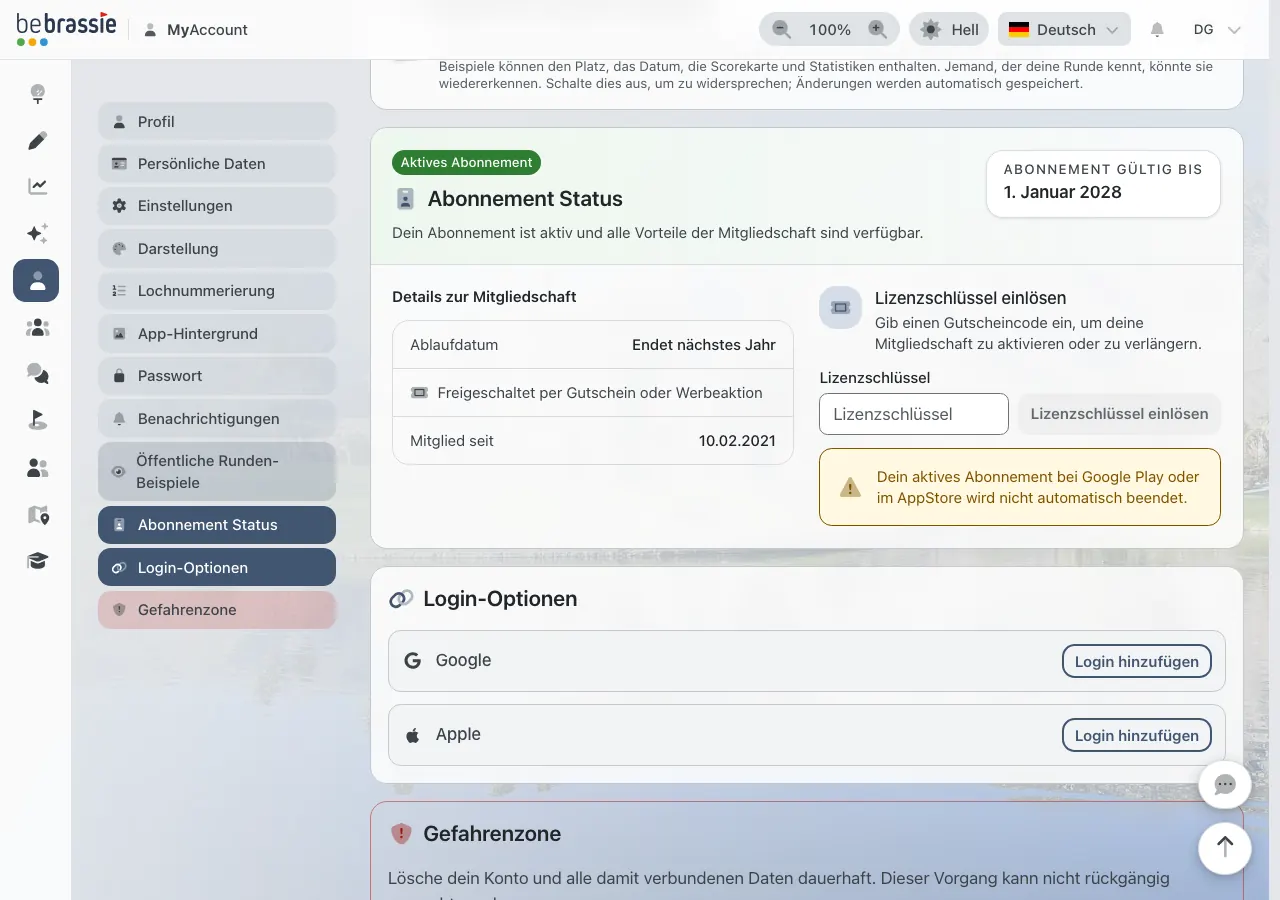
In the Android app you redeem it under MySubscription, in the iPhone app in the More tab under Subscription. If MyAccount in the iPhone app shows you no field for the key, redeem it in the browser at app.bebrassie.com.
A subscription with Apple or Google runs separately from the licence. Redeeming extends your access but doesn't end the subscription. You can only cancel it in the store in question.
Round can't be edited
A signed round is locked in bebrassie. It no longer appears among the unsigned rounds and can only be edited again once you unsign it:
- Under EditRounds, open the Signed rounds tab and select Edit your round on the round. For your last signed round Open in the app, the same action is on its detail page.
- Select Unsign round and confirm with Unsign.
- Change what is wrong.
- Finish the round again with Sign.
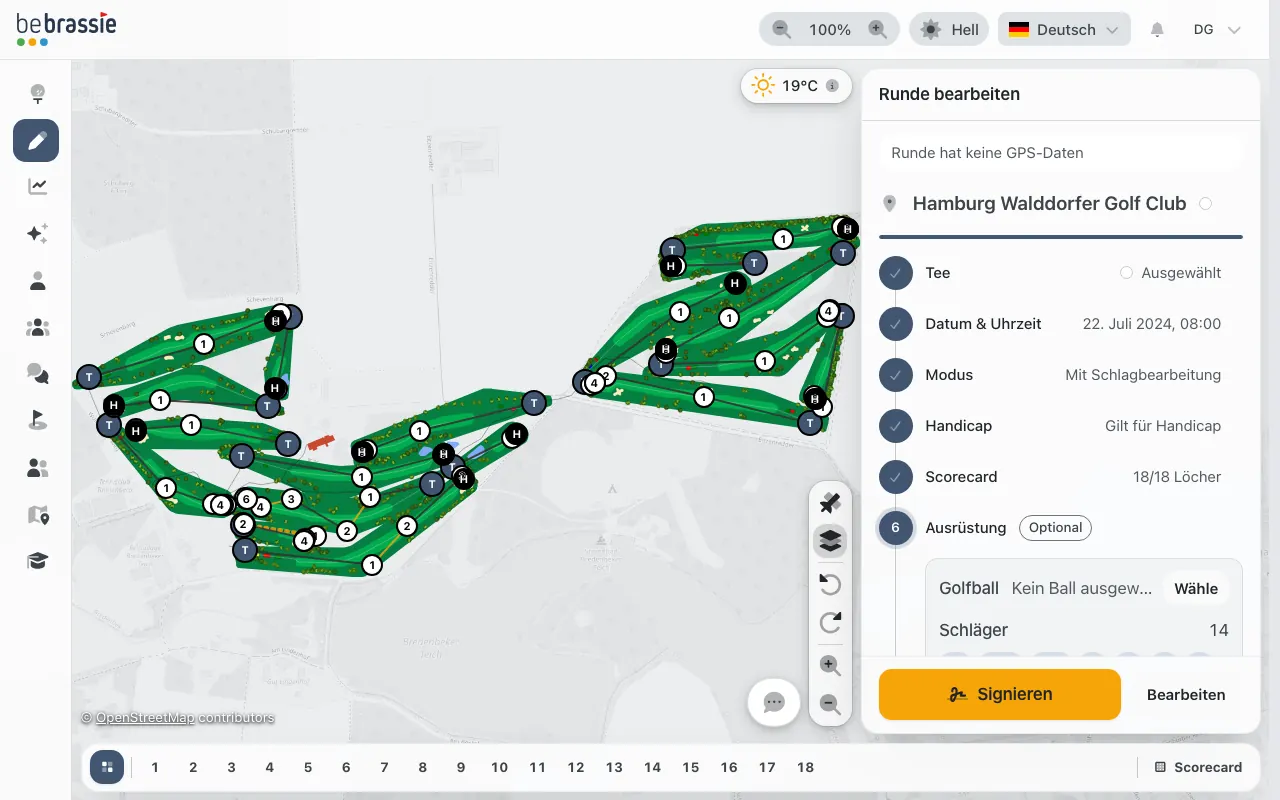
Your stats are then recalculated.
Strokes Gained is wrong
Strokes Gained in bebrassie compares each shot with a reference. If a value seems wrong, an input error or a wrong shot position is often behind it, because even small errors shift the result noticeably.
Two places are worth checking:
- The round itself. Open your last signed round Open in the app or another one under EditRounds in the Signed rounds tab, and select Edit your round. Check the position, Lie, Club and Type of the shots there. To make changes, unsign it first.
- The dispersion. Under ViewStats, the Deviation tab shows your shots as a chart. Points far outside the outer ellipse are outliers.
An outlier can be a wrongly recorded shot or a genuinely bad one. Only correct what was actually recorded wrong.
Which bebrassie version do I have?
For a support request or after an update, it helps to know which version of bebrassie is running on your smartphone. You find it in the app, and the way there depends on your phone:
- iOS: More tab, then App Settings. The number is under Version.
- Android: The ABOUT APP menu item. The number follows App version:.