

Adjusting a round's Course Rating and Slope
Course Rating and Slope determine how a round feeds into your handicap. If the stored values are out of date, for example after a course has been re-rated, you can change them in bebrassie for a single round.
- Open the round with Edit your round.
- Open the Handicap section and turn on Count for handicap. Only then do the fields appear.
- Enter the values under Course rating and Slope.
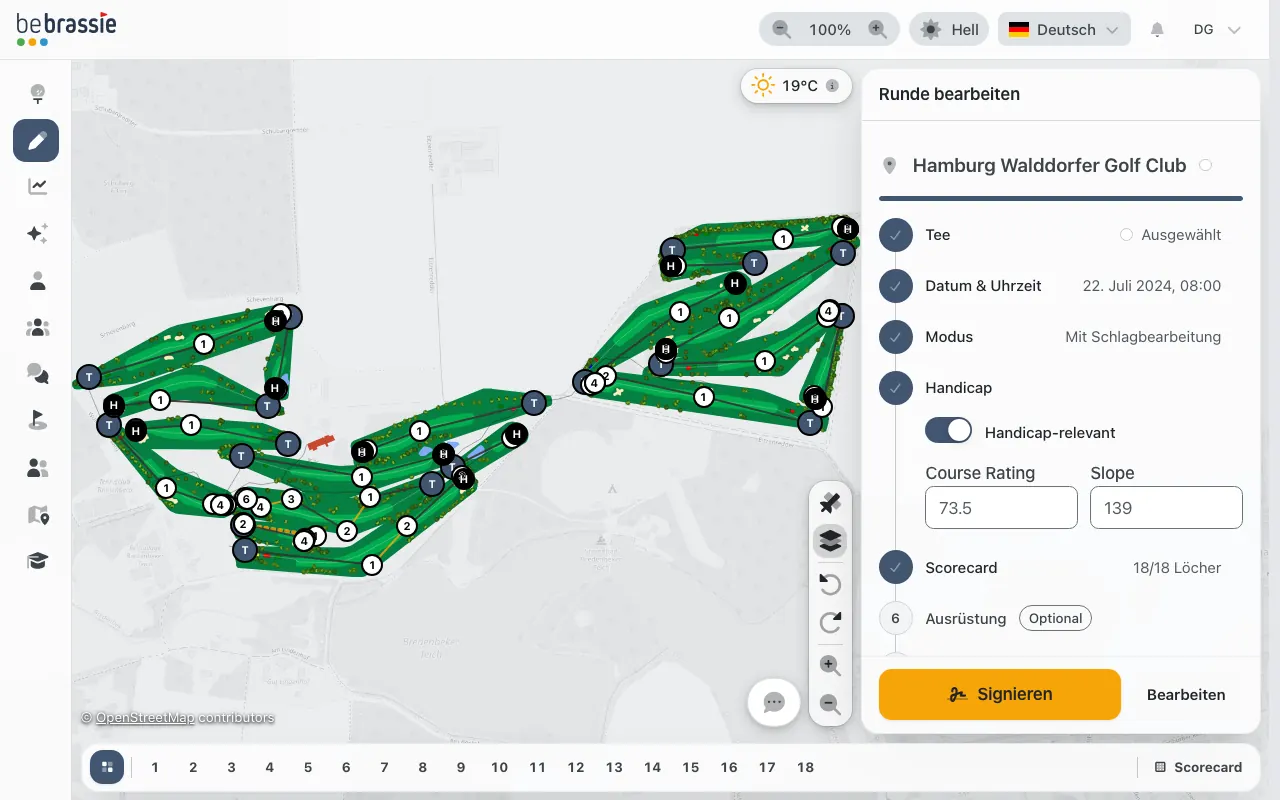
If you leave a field empty, the value of the chosen tee applies; it appears as gray text in the field. For a signed round, unsign it first.
Your change applies only to this one round. If the course's values are out of date in general, send us the new values at support@bebrassie.com.
Still have questions?
Write to us. We will help you out.