

How can I change the shot type?
Every shot has a type, for example Tee shot, Shot to green or Putt. bebrassie sets it automatically, which doesn't always fit: if you have to punch the ball sideways out of the woods, that isn't a Shot to green but a Recovery.
- In the round's hole view, click the shot on the map.
- Open the Type icon and select the right entry.
- Click Save.
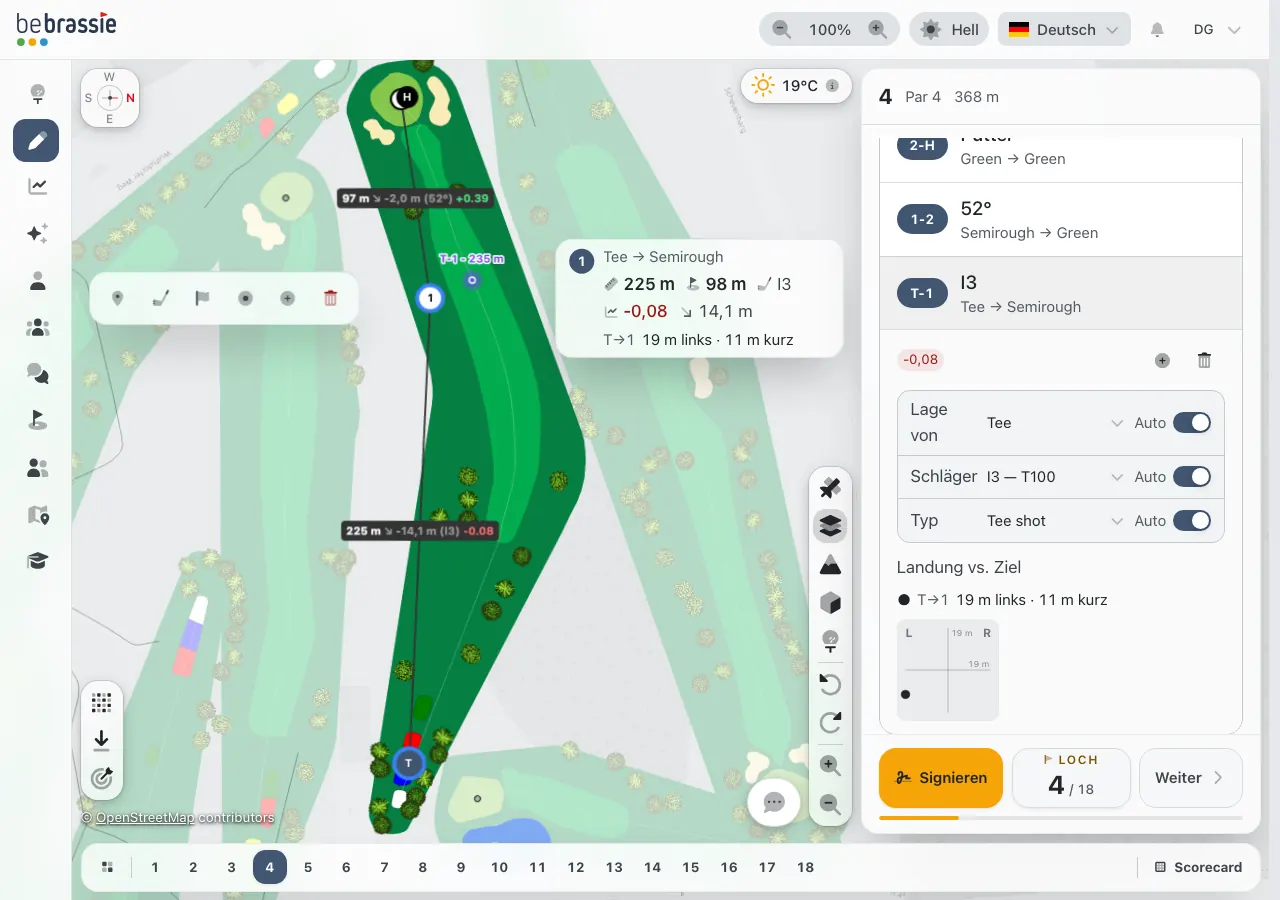
A shot's actions are icons; their name appears when you point at them with the mouse.
The options are Tee shot, Recovery, Transport, Shot to green, Pitch, Bunker, Lob, Chip, Putt and Penalty.
As soon as you select a type, the Auto switch next to it turns off and the app no longer overwrites your choice. If you turn Auto back on, the automatic type applies again.
If you play from off the green with the putter, select Chip. Only shots of the type Putt count as putts, which keeps your putt count clean.
Still have questions?
Write to us. We will help you out.