

How do I add or delete a shot in the post-round review?
Sometimes a shot is missing on a hole, or one was recorded twice. In bebrassie you correct this during the post-round review, the step where you see a hole's shots on the map.
- Open the round under your open rounds Open in the app, then open the hole.
- Add shot places a new shot at the end of the hole. To put it between two shots, click the previous shot and select the Insert shot after icon.
- To remove a shot, click it and select the Delete shot icon.
- Click Save.
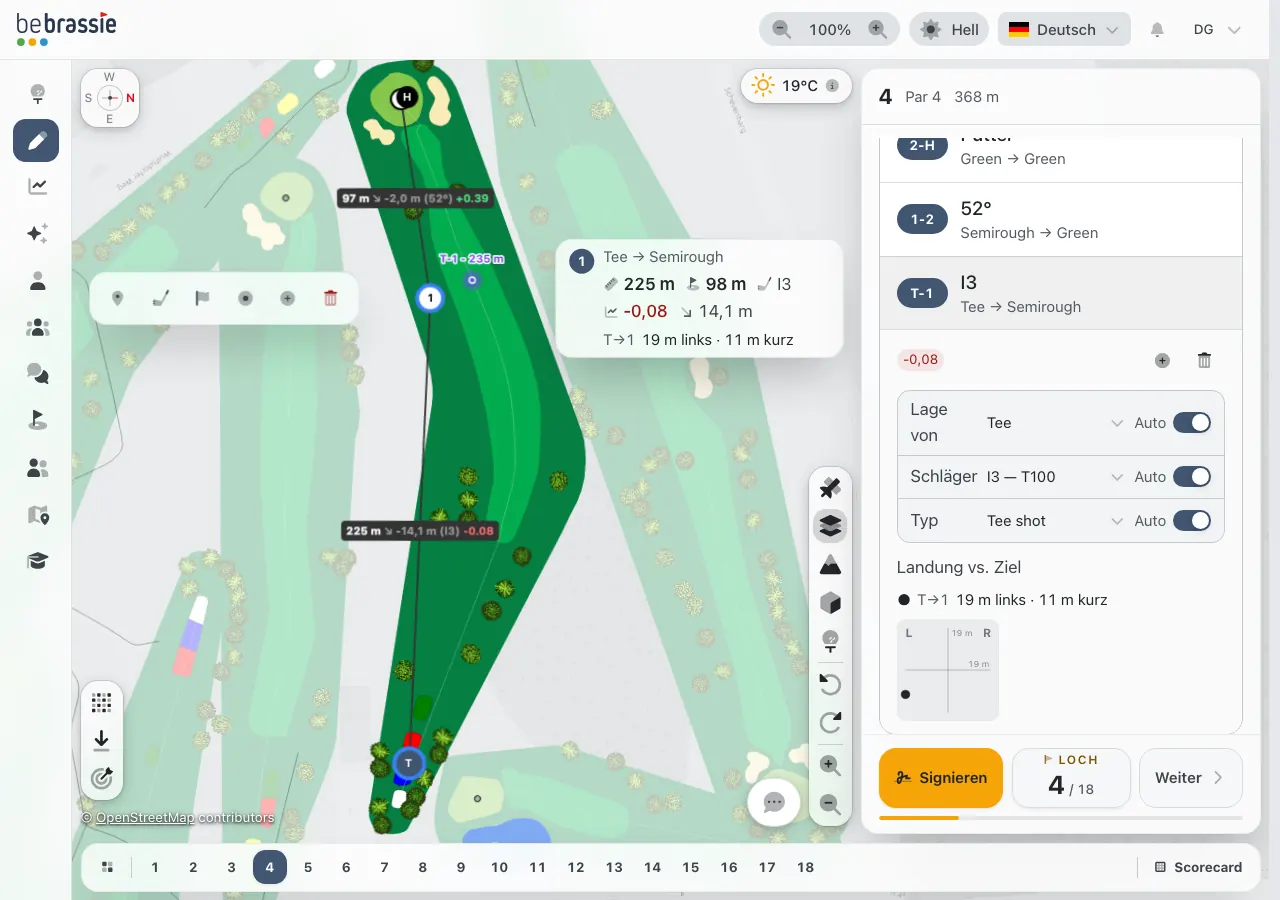
The score in the Scorecard then adjusts by itself. A shot's actions are icons; their name appears when you point at them with the mouse.
You can also do it the other way around and change the score in the Scorecard. The shots on the map then stay as they are, so at first the hole no longer matches the score. You can only sign once the two match.
Still have questions?
Write to us. We will help you out.