

Setting your own target for a shot (intended target)
Not every shot aims at the middle of the fairway or at the flag. If you deliberately play to the safe side, you should be measured against that. That is why bebrassie lets you set your own target per shot during the post-round review.
- In the round's hole view, click the shot on the map.
- Click the target icon. When you point at it with the mouse, it is called Default target as long as no target of your own is set, and Custom target after that. A target marker appears on the hole.
- Drag the marker to the spot you aimed at.
- Click Save.
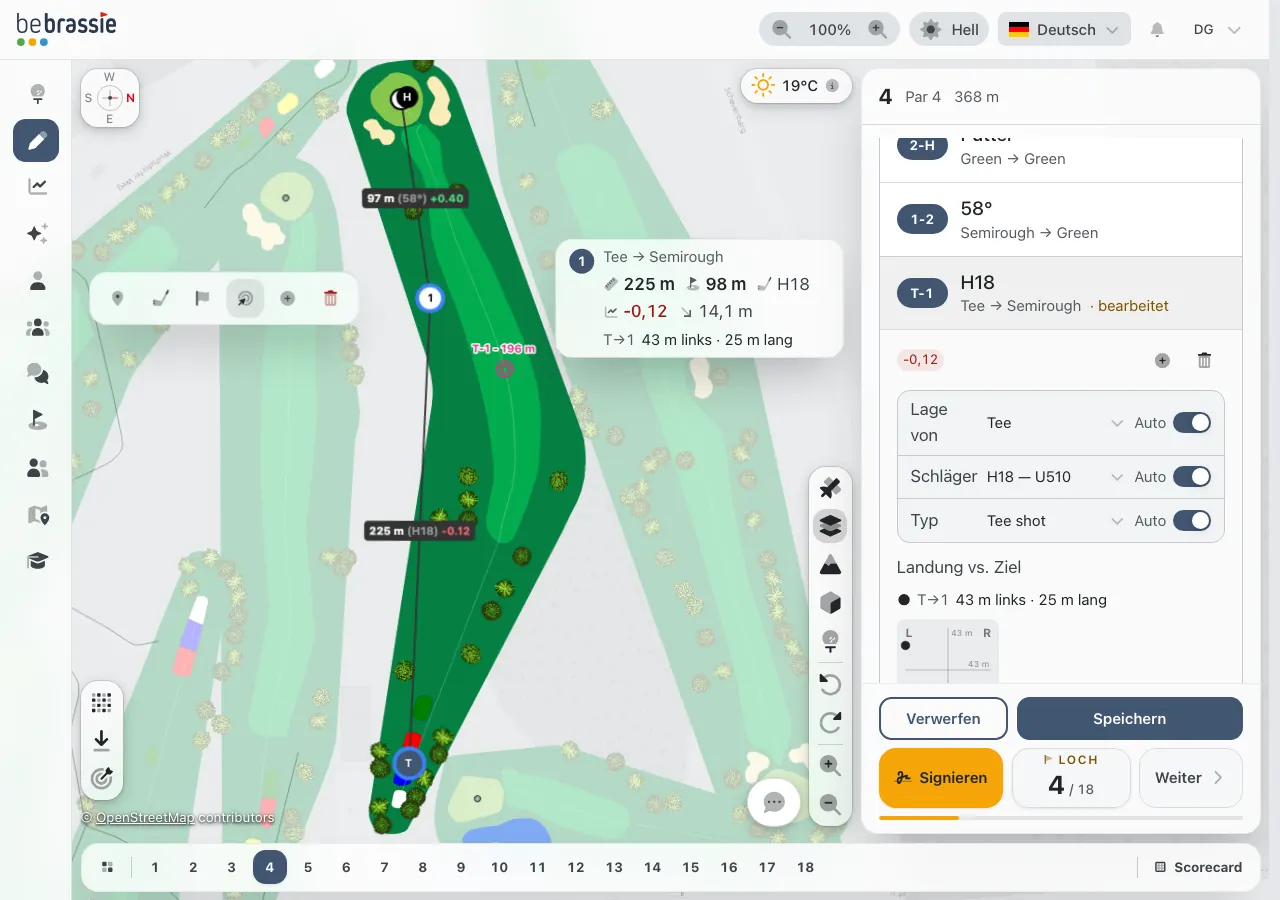
The shot's deviation is then measured against your target. You don't have to do this for every shot. Without a target of your own, the default target stays. Clicking the icon again removes your target. Penalty strokes have no target.
You can also adjust your last signed round Open in the app this way afterward. To do that, unsign it first.
The video on setting your own target shows the older app. The button is still called Target there, but the idea is the same.
Still have questions?
Write to us. We will help you out.