

What filters are there in the stats?
A stat across all your rounds doesn't answer every question. That is why bebrassie lets you narrow it down, for example to tournament rounds or par 3 holes. You open the filters in Stats with Show filters.
Which filters you see depends on the stat: filters for individual shots exist only where individual shots are the subject.
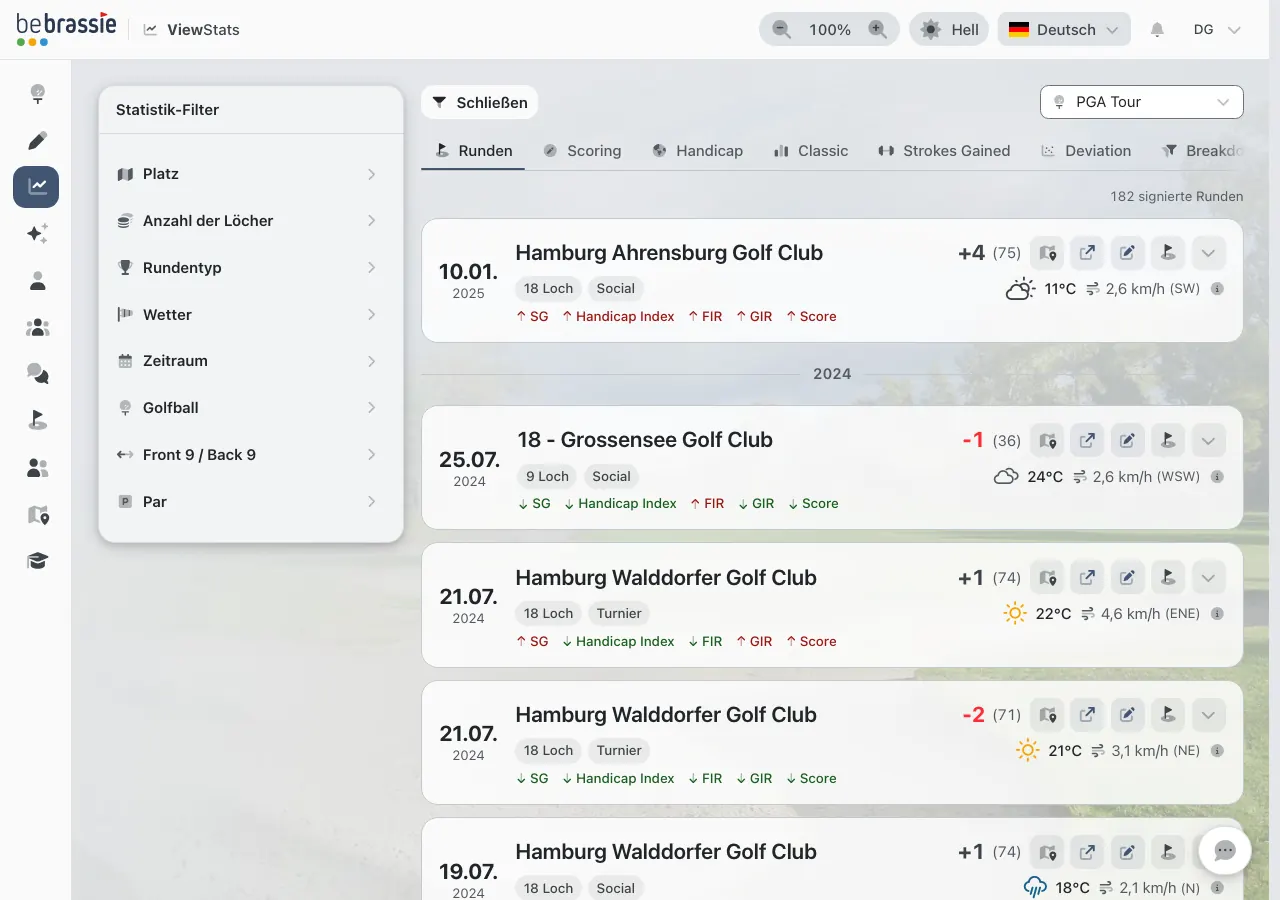
Filters for rounds
- Period: only rounds between two dates.
- Course: particular courses, or quickly just Home or Away.
- Number of rounds: the most recent rounds up to a certain number.
- Number of holes: for example, only 9-hole or only 18-hole rounds.
- Front 9 / Back 9: Front 9, Back 9 or 18 Holes.
- Par: holes with par 3, par 4 or par 5.
- Round type: Social, Tournament or Practice.
- Weather: Temperature and Wind speed.
- Golf ball: rounds with a particular ball.
Filters for shots
- Club: particular clubs, including those no longer in your bag.
- Type: for example, Tee shot or Chip.
- Lie: where the ball lay, for example fairway or bunker.
- Hole: particular hole numbers.
- Distance to hole: shots from a certain distance.
Excluding something
With most selection filters you can switch between IS and NOT. With NOT you see everything except your selection, for example all rounds except those on your home course.
Still have questions?
Write to us. We will help you out.