

bebrassie UniversityFirst Steps
How does your first round with bebrassie work?
Your first round with bebrassie has four parts: preparation, tracking on the course, post-round review and analysis.
1. Before the round
- Install the app on your iPhone or Android smartphone and, if you like, on your smartwatch.
- Create an account in the app or at app.bebrassie.com.
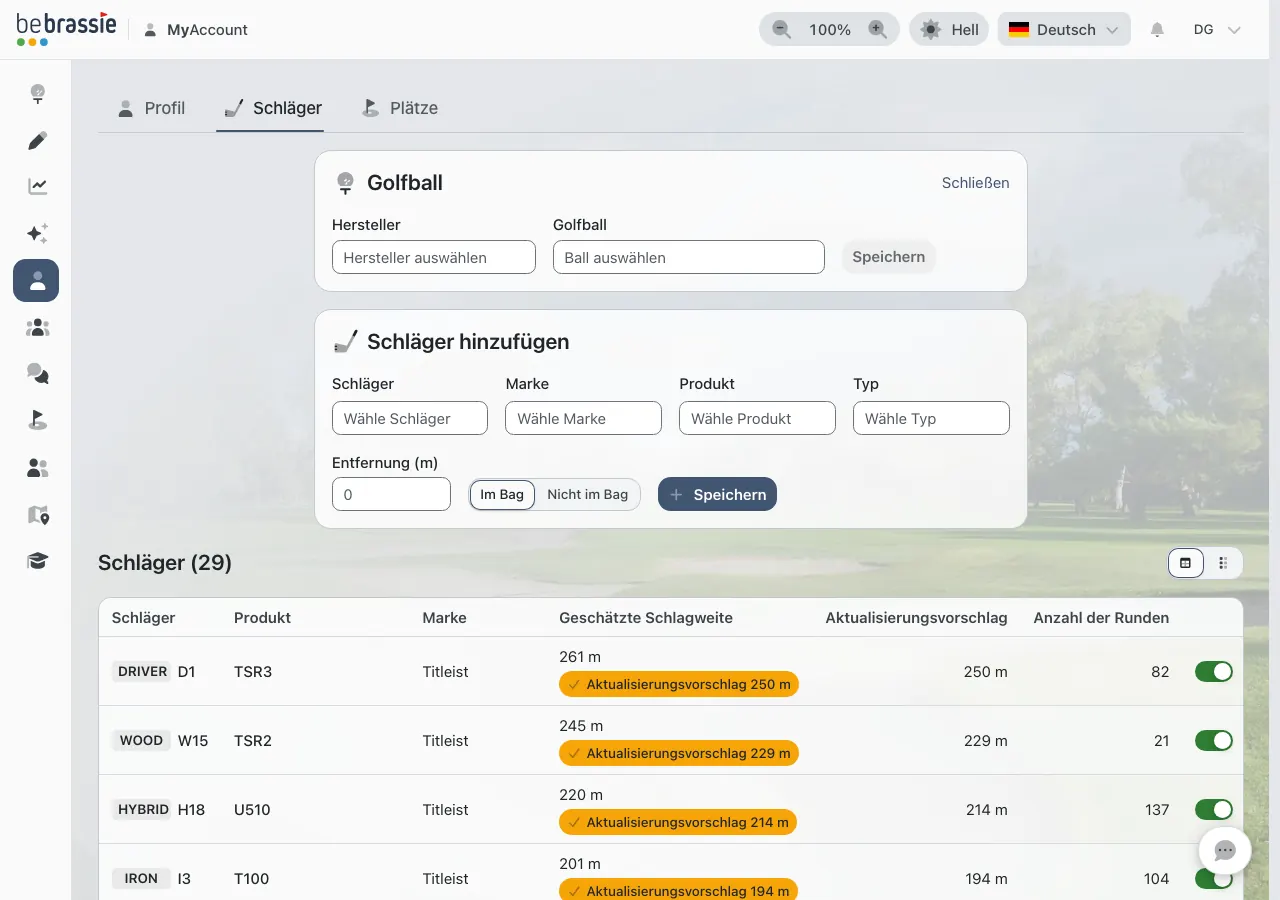
- Fill in your profile. Handedness and your clubs Open in the app with their distances matter most, because the app later uses them to pick the club automatically.
- In the app, share your location and allow background refresh. Tracking needs this during the round.
- Download the course of your first round in advance so that the hole data is available offline. On iOS you do this in the Play tab under Courses, on Android under MYCOURSES.
2. On the course
- Start the round. On iOS, tap Start round in the Play tab; on Android, open PLAYGOLF.
- Select the course and the starting hole.
- Carry your phone in your trouser pocket, ideally at the back. With a smartwatch, the watch detects your shots. Watch and phone must be connected for this.
During the round, the app mainly detects the long shots. You enter chips, putts and the flag position yourself, most easily right after each hole, or otherwise later in the post-round review.
3. After the round
- End the round and upload it, ideally with a good internet connection. On iOS you do this in the Rounds tab, on Android under UPLOADROUNDS.
- Open the round under your unsigned rounds Open in the app. You can do the post-round review on a smartphone, tablet or computer.
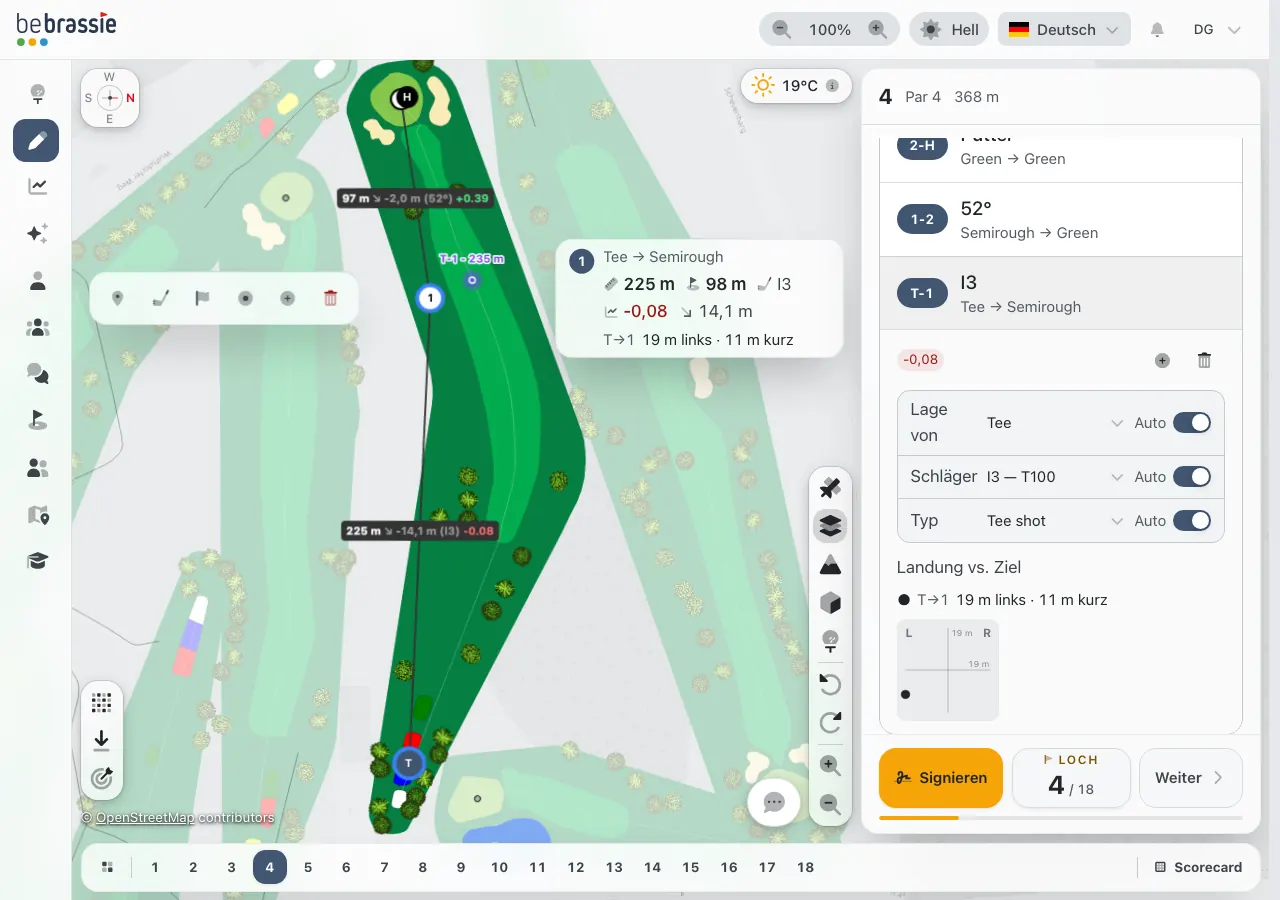
- Check the detected shots, set the flag and putts, and correct the clubs if necessary.
- Finish the round with Sign. Only then does it count for your analysis.
4. Analysis
With the signed round you can analyze your game:
- Strokes Gained in all areas of the game
- deviations from the target and distances per club
From this data you can create a game plan for your next tournament round and set a target for each shot. You find your plans under your game plans Open in the app.
Still have questions?
Write to us. We will help you out.